

In 2026, U.S. professionals aren’t just experimenting with AI—they’re embedding it into the core of how they work. From automating routine emails to generating real-time market insights, AI tools are now essential for productivity, decision-making, and career advancement. If you’re wondering how to use AI effectively at work without falling into hype or inefficiency, you’re in the right place.
This article breaks down exactly how Americans across industries—from healthcare and finance to education and creative fields—are leveraging AI in 2026. We’ll share actionable strategies, compare leading tools, highlight pitfalls to avoid, and provide a clear roadmap for integrating AI into your daily workflow.
Why AI at Work Matters More Than Ever in 2026
The U.S. labor market has shifted dramatically. With persistent talent shortages, rising productivity expectations, and hybrid work models becoming the norm, employees must do more with less. AI fills that gap.
According to a 2025 McKinsey report, 78% of U.S. companies now use AI in at least one business function—up from 55% in 2023. More importantly, individual workers report saving an average of 6.2 hours per week using AI tools for tasks like scheduling, research, and content creation.
But it’s not just about speed. AI is helping professionals make better decisions, reduce burnout, and focus on uniquely human skills: strategy, empathy, and creativity.
1. Automating Administrative Tasks: Reclaiming Time
The #1 use of AI at work in 2026? Eliminating drudgery.
Email Management & Scheduling
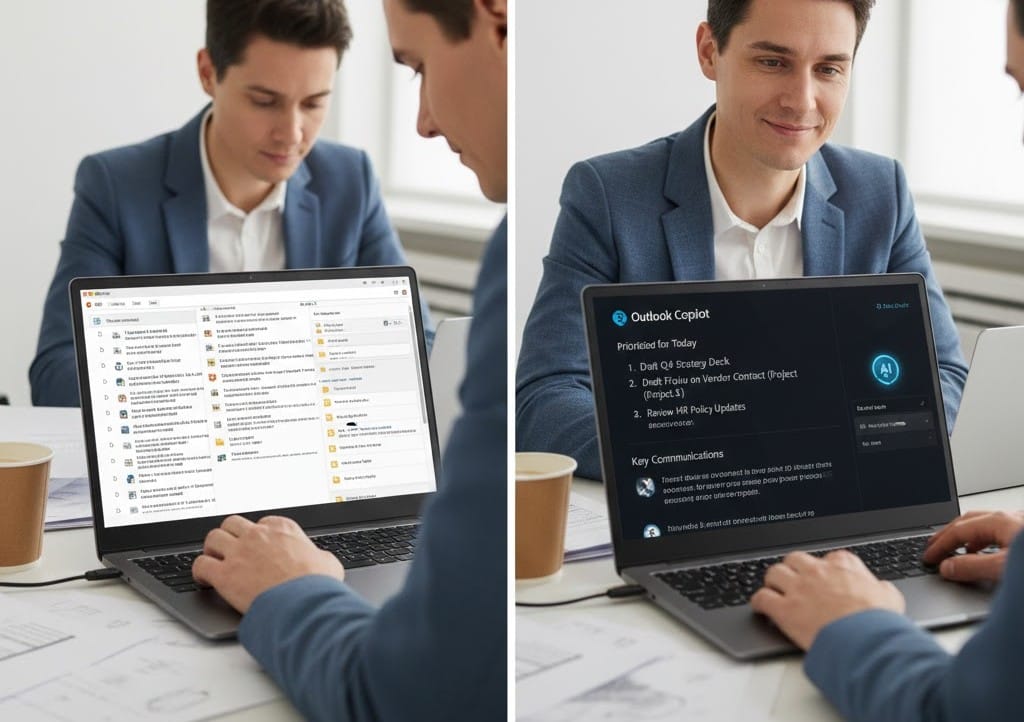
Tools like Microsoft Copilot (integrated into Outlook) and Superhuman AI now draft context-aware replies, prioritize inboxes, and even suggest meeting times based on your calendar and energy patterns.
Pro tip: Use AI to triage emails by urgency. For example, Copilot can flag messages requiring legal review or client escalation—freeing you to focus on high-impact work.
Meeting Efficiency
AI-powered notetakers like Fireflies.ai and Otter.ai transcribe meetings in real time, extract action items, and auto-assign tasks in Asana or Slack. Some even generate executive summaries for stakeholders who couldn’t attend.
Real-world example: A project manager in Austin uses Fireflies to cut post-meeting follow-up time from 45 minutes to under 8.
Best for: Remote teams, client services, HR
Cost: $10–30/month per user
Caution: Always review AI-generated summaries—context errors still occur.
2. Supercharging Research & Data Analysis
Gone are the days of sifting through PDFs or spreadsheets manually.
Market & Competitive Intelligence
Platforms like Perplexity Pro and Consensus use AI to scan academic papers, earnings calls, and industry reports—then deliver concise, cited answers to complex questions like:
“What are the top three pricing strategies SaaS companies adopted in Q4 2025?”
Internal Data Insights
Tools like Microsoft Copilot for Power BI and Tableau GPT let non-technical users ask questions in plain English:
“Show me sales trends for Product X in the Southeast, broken down by customer segment.”
The AI instantly generates visualizations and highlights anomalies—no SQL required.
| Tool | Best For | Price (2026) | Key Strength |
|---|---|---|---|
| Perplexity Pro | External research | $20/month | Source citations, real-time web access |
| Copilot for Power BI | Internal dashboards | Included with Microsoft 365 E5 | Seamless Excel/Teams integration |
| Consensus | Evidence-based answers | Free–$16/month | Scientific & medical literature focus |
Actionable advice: Start small. Ask your BI tool one business question per week. Over time, you’ll spot trends faster than competitors relying on static reports.
3. Enhancing Writing & Communication
AI writing isn’t about replacing humans—it’s about elevating clarity and consistency.
Professional Drafting
GrammarlyGO and Jasper now adapt to your company’s tone guidelines. HR teams use them to draft empathetic layoff notices; marketers create on-brand social posts in seconds.
Key feature in 2026: Brand voice locks. You can train AI to mimic your style using past documents—ensuring consistency across teams.
Internal Comms at Scale
Large enterprises use Glean or Slack AI to answer employee questions like:
“What’s our PTO policy for remote workers in Colorado?”
The AI scans HR docs, handbooks, and past announcements to deliver accurate, policy-compliant answers.
Best practice: Always disclose AI involvement in external communications. Transparency builds trust—especially with clients and regulators.
4. Accelerating Creative & Design Work
Creatives feared AI would replace them. Instead, it’s become their most powerful collaborator.
Visual Content
Adobe Firefly (now deeply integrated into Photoshop and Express) lets marketers generate custom stock images, resize banners for every ad platform, and remove backgrounds with one click—without copyright risk.
Example: A nonprofit in Chicago creates 50 localized campaign variants in under an hour using AI-generated visuals tailored to regional demographics.
Video & Audio Production
Tools like Synthesia and HeyGen enable teams to create professional training videos with AI avatars speaking in 120+ languages. Sales teams use Krisp to clean up background noise and generate meeting clips for coaching.
Pricing note: Most creative AI tools operate on credits. Budget $30–100/month for light-to-moderate use.
Warning: Avoid “AI-only” creative work. Human oversight ensures emotional resonance and brand safety.
5. Streamlining Coding & IT Operations
Developers are among the earliest and most effective AI adopters.
AI Pair Programmers
GitHub Copilot X (2026 edition) doesn’t just autocomplete code—it explains legacy functions, suggests security patches, and runs unit tests in the background. Microsoft reports developers using it are 55% faster at debugging.
IT Support Automation
Companies deploy AI help desks like Aisera or Moveworks that resolve 60–80% of Tier-1 tickets without human intervention: password resets, software installs, policy queries.
For non-coders: Tools like Make or Zapier Interfaces now let you build custom automations using natural language:
“When a new lead is added to HubSpot, send a welcome email and create a task in ClickUp.”
6. Personalizing Customer Experiences
AI is transforming customer-facing roles from reactive to predictive.
Sales & CRM Enrichment
Salesforce Einstein GPT analyzes call transcripts, emails, and deal history to suggest next-best actions:
“This prospect mentioned budget concerns—send them the ROI calculator.”
Support & Retention
AI chatbots like Ada or Zendesk Answer Bot resolve routine queries instantly. But the real innovation? Predictive retention. Tools analyze support tickets, usage data, and sentiment to flag at-risk customers before they churn.
Stat to note: Companies using AI for customer retention saw 22% higher renewal rates in 2025 (Gartner).
Implementation tip: Start with post-call summaries. Let AI draft follow-ups so agents spend more time listening, less time typing.
Common Pitfalls (and How to Avoid Them)
AI isn’t magic. Missteps are common—but preventable.
1. Over-reliance Without Verification
AI can “hallucinate” facts. Always cross-check critical data, especially in legal, medical, or financial contexts.
2. Ignoring Data Privacy
Never input sensitive client info, SSNs, or internal strategy into public AI tools. Use enterprise-grade, SOC 2-compliant platforms with data encryption.
3. Skipping Change Management
Employees adopt AI faster when leadership models usage. Host monthly “AI hackathons” to share workflows.
4. Using Too Many Tools
Stick to 2–3 core platforms integrated with your existing stack (e.g., Microsoft 365 or Google Workspace). Fragmentation kills ROI.
How to Choose the Right AI Tool for Your Role
Not all AI tools are created equal. Match the tool to your workflow:
| Role | Top AI Use Case | Recommended Tools |
|---|---|---|
| Executive | Strategic insights, briefing prep | Perplexity Pro, Microsoft Copilot |
| Marketer | Content creation, campaign analysis | Adobe Firefly, HubSpot AI |
| Developer | Code generation, debugging | GitHub Copilot, Amazon CodeWhisperer |
| Educator | Lesson planning, grading assistance | Khanmigo, MagicSchool AI |
| Sales Rep | Lead research, email drafting | Salesforce Einstein, Lavender |
| HR Professional | Policy Q&A, DEI analytics | Glean, Eightfold AI |
Budget tip: Many employers now offer AI stipends. Ask your manager—62% of U.S. firms reimbursed AI tool subscriptions in 2025 (SHRM).

The Future Is Human + AI Collaboration
The most successful professionals in 2026 aren’t those who use the most AI—they’re those who use it strategically.
AI handles scale, repetition, and data crunching. Humans bring judgment, ethics, and emotional intelligence. Together, they create a powerful synergy.
As Satya Nadella put it in early 2026: “AI won’t replace your job. A person using AI will.”
Key Takeaways & Next Steps
- Start with pain points: Automate your most tedious task first—email, scheduling, or data entry.
- Prioritize integration: Choose tools that work with your existing software (Outlook, Slack, Salesforce, etc.).
- Verify, don’t trust blindly: Treat AI as a brilliant intern—smart but needing supervision.
- Upskill continuously: Platforms like Coursera and LinkedIn Learning offer free AI literacy courses.
- Measure impact: Track time saved or errors reduced. Use data to justify further AI investment.
Your action today: Pick one AI tool from this article. Spend 20 minutes testing it on a real work task. You’ll likely save hours this week.
FAQ: Real Questions Americans Are Asking in 2026
Q1: Are AI tools at work secure for handling company data?
A: Enterprise-grade tools (e.g., Microsoft Copilot, Zoom AI Companion) are built with strict data governance. Avoid consumer-grade chatbots for sensitive info.
Q2: Can my employer monitor my AI tool usage?
A: If you use company-licensed tools (like Copilot via work email), yes—usage may be logged for compliance. Always check your IT policy.
Q3: Do I need technical skills to use AI at work?
A: No. Most 2026 tools use natural language. If you can type a clear request, you can use AI effectively.
Q4: Will using AI make me replaceable?
A: Quite the opposite. Employees who leverage AI become more valuable by focusing on strategic, high-impact work.
Q5: What’s the cheapest way to start using AI at work?
A: Start with free tiers: Microsoft Copilot (free with personal Microsoft account), Perplexity Free, or Google’s Duet AI in Workspace (if your company has it).