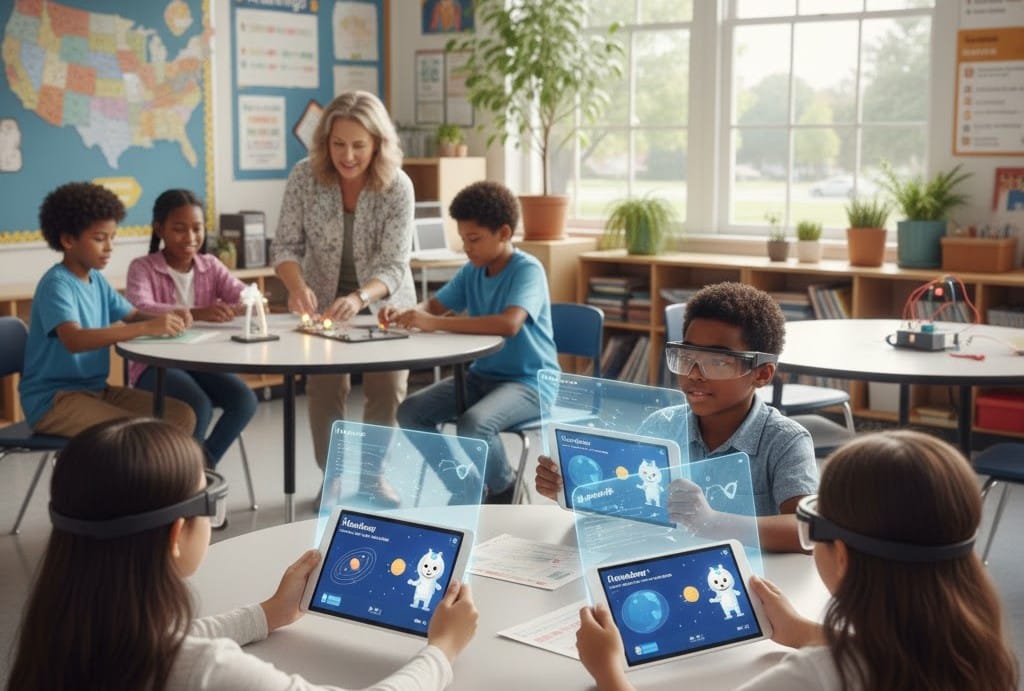
American schools are no longer debating whether to use AI—they’re actively redesigning teaching, learning, and administration around it. From AI tutors that personalize math lessons to district-wide policies banning unvetted chatbots, U.S. education institutions are navigating a complex but transformative shift in 2026.
If you’re a teacher, administrator, parent, or policymaker wondering how schools are responding to AI—and how to implement it responsibly—this article delivers real examples, vetted tools, equity considerations, and actionable strategies from districts leading the charge.

Why AI in Schools Is Inevitable—and Necessary
Students are already using AI: 68% of high schoolers report using generative AI for homework (Pew Research, February 2026). The choice for schools isn’t if but how to guide that use.
Forward-thinking districts recognize AI as a literacy, not just a tool. Just as students learned to use calculators, search engines, and laptops, they now need to understand AI’s capabilities, limitations, and ethics.
The U.S. Department of Education’s 2023 “AI & the Future of Learning” report set the tone:
“AI should empower educators, personalize learning, and reduce inequity—not replace human judgment or deepen divides.”
Today, that vision is becoming reality—but unevenly.
1. AI in the Classroom: Teaching and Learning Transformed
Personalized Learning at Scale
AI tutors like Khanmigo (by Khan Academy) and Century Tech adapt in real time to a student’s pace, gaps, and learning style.
- A 5th grader struggling with fractions gets scaffolded practice and visual aids.
- An advanced 10th grader receives AP-level enrichment—all within the same classroom.
Impact: In Chicago Public Schools’ 2025 pilot, students using Khanmigo for 30 minutes/week saw 2.3x growth in math proficiency vs. control groups.
Writing Support with Guardrails
Tools like MagicSchool AI and Diffit help students brainstorm, outline, and revise—without doing the work for them.
- Teachers can toggle “scaffolding mode” (hints only) vs. “draft mode” (full support).
- Built-in citations and revision history ensure academic integrity.
Teacher tip: Use AI to teach the process of writing, not just the product. Have students compare their draft to an AI suggestion and justify their choices.
Language and Accessibility
AI breaks barriers for multilingual and disabled learners:
- Microsoft Immersive Reader reads text aloud with word-by-word highlighting.
- Google’s Read Along gives real-time pronunciation feedback for English learners.
- Otter.ai transcribes classroom discussions for deaf/hard-of-hearing students.
2. Administrative AI: Freeing Up Educator Time
Teachers spend 10–15 hours/week on non-instructional tasks (Rand Corp, 2025). AI is reclaiming that time.
Grading and Feedback
- Gradescope (used in 1,200+ U.S. districts) auto-grades structured responses and highlights common errors.
- Turnitin’s AI writing detection + feedback studio helps teachers identify overreliance while offering revision tips.
Time saved: 3–6 hours/week per teacher—time redirected to 1:1 student support.
Lesson Planning and IEP Support
- MagicSchool AI generates standards-aligned lesson plans in seconds:
“Create a 45-minute 7th-grade lesson on photosynthesis with a hands-on activity and ELL support.” - SchoolAI helps special ed teachers draft IEP goals and behavior plans using district templates.
Caution: Always review AI output. One Texas district found AI-generated science lessons included outdated climate data—highlighting the need for human oversight.
3. District-Wide AI Policies: Setting Guardrails
Schools aren’t adopting AI willy-nilly. Leading districts have clear frameworks:
The 3-Pillar Approach (Model from Fairfax County, VA)
- Acceptable Use: AI can assist—but not replace—student thinking. All AI use must be cited.
- Approved Tools Only: Only district-vetted, FERPA-compliant platforms (e.g., Khanmigo, MagicSchool) are allowed.
- Mandatory AI Literacy: All students (grades 6–12) take a 4-week AI ethics & skills module.
Banned vs. Approved: Common District Stances (2026)
| Tool | Typical District Policy | Reason |
|---|---|---|
| ChatGPT (free) | ❌ Blocked on school networks | No data privacy guarantees |
| Khanmigo | ✅ Approved | FERPA-compliant, education-first design |
| Gemini (Google) | ⚠️ Allowed with logins | Requires Google Workspace for Education |
| Canva Magic Write | ✅ Approved for projects | No student data stored |
Key trend: Schools are moving from blocking to guiding—recognizing that digital citizenship includes AI.
4. AI Literacy: Teaching Students to Use AI Responsibly
The most critical adaptation? Teaching AI as a subject.
What U.S. Students Are Learning in 2026
- Grades K–5: “AI is a helper, not a brain.” Focus on creativity and critical questioning.
- Grades 6–8: How AI works (training data, bias), prompt engineering basics, citation norms.
- Grades 9–12: AI ethics, deepfakes, labor impacts, and building simple models with Google Teachable Machine.
Real curriculum example:
New York’s “AI for All” initiative includes:
- A 10th-grade social studies unit: “Who benefits from AI—and who gets left behind?”
- A CS elective: “Design an AI tool that solves a community problem.”
Student-Created AI Projects
- In Austin, TX, high schoolers built an AI chatbot to help new immigrants navigate school enrollment.
- In rural Maine, students trained a model to identify invasive plant species using phone photos.
These projects teach agency—not just consumption.
5. Equity and Access: Closing the AI Divide
AI could widen educational gaps—if access isn’t universal.
The Challenge
- 72% of affluent districts offer AI-integrated learning.
- Only 29% of high-poverty districts do (Digital Equity Lab, 2026).
Solutions in Action
- Chicago Public Schools: Partnered with Khan Academy to provide free Khanmigo licenses to all 320,000 students.
- Arizona’s Rural EdTech Grant: Funds AI tutor subscriptions and teacher training for Title I schools.
- Device + Connectivity: The FCC’s 2025 “AI Access Fund” subsidizes school-issued devices with offline AI capabilities (e.g., Google’s on-device Gemini Nano).
Best practice: Equity isn’t just about tools—it’s about support. High-impact districts pair AI rollout with coaching, not just logins.

Top AI Tools in U.S. Schools: 2026 Comparison
| Tool | Best For | Grade Level | Pricing (Schools) | Key Strength |
|---|---|---|---|---|
| Khanmigo | Tutoring, writing, lesson planning | 3–12 | $4/student/year (bulk discounts) | Deep curriculum alignment, FERPA-safe |
| MagicSchool AI | Teacher productivity, IEPs, differentiation | K–12 | Free–$69/year per teacher | 60+ educator-specific tools |
| Diffit | Leveled reading, ELL support | K–10 | Free basic; $99/school/year | Instantly adjusts text complexity |
| SchoolAI | School-wide AI platform | K–12 | Custom (district-wide) | Branded student/teacher portals, admin dashboards |
| Curipod | Interactive AI lesson creation | 3–10 | Free–$199/year | AI generates polls, word clouds, quizzes |
Note: All listed tools comply with FERPA and COPPA. Avoid consumer-grade AI (e.g., free ChatGPT) in K–12 settings.
Common Pitfalls—and How Schools Avoid Them
1. AI Cheating Panic
Instead of blanket bans, schools teach responsible use. Example:
“You may use AI to brainstorm, but your final argument must be your own—and cited.”
2. Teacher Overwhelm
Solution: Start small. Pick one tool (e.g., MagicSchool for lesson planning) and master it before expanding.
3. Bias in AI Outputs
Train educators to spot stereotypes. One California district runs monthly “AI bias audits” where teachers test tools with diverse prompts.
4. Ignoring Offline Skills
Balance is key. Many schools enforce “AI-free” writing days to preserve original thought.
What Leading States Are Doing
California
- Mandates AI literacy in high school computer science standards (effective 2026).
- Funds “AI Coach” roles in every county office of education.
Texas
- Launched “Project AI Ready”: statewide teacher training + student AI challenge.
- Requires all EdTech vendors to disclose data practices.
Massachusetts
- Partners with MIT to pilot “Explainable AI” labs where students dissect how models make decisions.
The Role of Teachers: From Lecturers to AI Coaches
The teacher’s role is evolving—not disappearing.
In AI-integrated classrooms, educators:
- Curate high-quality prompts and resources
- Facilitate ethical debates (“Should AI grade essays?”)
- Mentor students in metacognition (“Why did the AI suggest this?”)
As one Seattle high school principal put it:
“AI handles the ‘what.’ Teachers own the ‘why’ and ‘how.’ That’s where real learning lives.”
Key Takeaways & Action Plan
U.S. schools are adapting to AI with pragmatism, caution, and creativity. The goal isn’t perfection—it’s responsible integration.
Summary:
- AI tutors personalize learning but require oversight.
- Administrative AI saves teachers hours—time better spent with students.
- District policies are shifting from fear to framework.
- AI literacy is now a core 21st-century skill.
- Equity must be central—not an afterthought.
Action Plan for Stakeholders:
For Teachers:
- Try one education-specific AI tool (e.g., MagicSchool or Khanmigo).
- Co-create an AI use policy with your students.
- Focus on teaching critical evaluation of AI output.
For Administrators:
- Audit your EdTech stack for FERPA compliance.
- Invest in teacher training, not just licenses.
- Prioritize tools that support multilingual and SPED students.
For Parents:
- Ask your school: “What’s your AI policy?”
- Use free tools like Google’s AI Explorables at home to build family literacy.
- Emphasize effort over output—AI can’t replicate curiosity.

FAQ: Real Questions U.S. Educators and Parents Ask in 2026
Q1: Is it okay for my child to use AI for homework?
A: Yes—if it’s for brainstorming, editing, or practice, and they disclose its use. Most schools now allow assisted work but ban AI-only submissions.
Q2: How can teachers detect AI cheating?
A: Tools like Turnitin help, but they’re imperfect. Better: design assignments AI can’t easily replicate (e.g., personal reflections, in-class drafts, project-based work).
Q3: Are there free AI tools approved for schools?
A: Yes. Khanmigo offers free access to Title I schools. Diffit and Curipod have robust free tiers. Always verify FERPA compliance first.
Q4: Will learning with AI make kids lazy?
A: Not if guided well. Studies show students using AI with scaffolding develop stronger problem-solving skills than those working alone.
Q5: How do I teach AI literacy if I’m not tech-savvy?
A: Start with ethics, not code. Ask: “Who made this AI? What data did it learn from? Who might it hurt?” Resources like ISTE’s AI Literacy Toolkit require no technical background.
Sources
- U.S. Department of Education. (2025). Artificial Intelligence in Education: Policy Guidelines and Best Practices. Washington, D.C.: DOE.
- Every Student Succeeds Act (ESSA). U.S. Department of Education, 2015. https://www.ed.gov/essa
- Khan Academy. (2026). Khanmigo AI Personalized Learning Pilot Reports. https://www.khanacademy.org
- Gradescope by Turnitin. (2026). AI-Powered Assessment in US Schools. https://www.gradescope.com
- Coursera. (2026). AI in Education: Professional Development Courses for Teachers. https://www.coursera.org
- Stanford University. (2026). CS555: AI in the Real World – Free Public Lectures. https://cs.stanford.edu
- Microsoft Education. (2026). Immersive Reader & AI Accessibility Tools in Schools. https://education.microsoft.com
- Kurzweil Education. (2026). AI Tools for Students with Learning Disabilities. https://www.kurzweiledu.com
- Edthena. (2025). AI Analytics for Teacher Instruction. https://www.edthena.com
- New York & California State Education Departments. (2025–2026). AI Policy Regulations for Schools.