The Smartphone Market Faces a Contraction in 2026: Rising Chip and Memory Costs Reshape the Industry


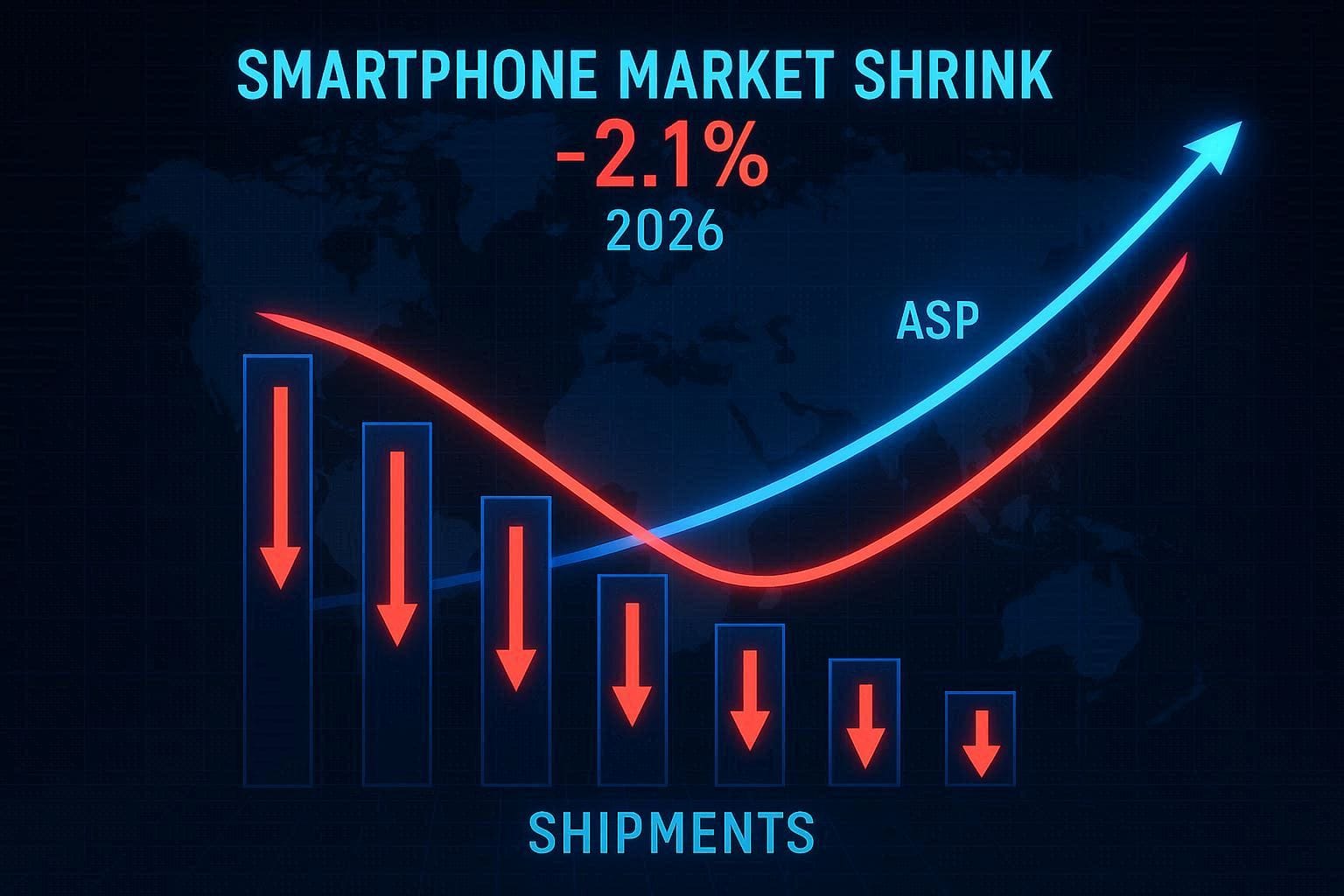
In an era where smartphones are indispensable, a looming challenge threatens to reshape the global market. According to industry analysts, the smartphone market is projected to shrink by approximately 2.1% in 2026, driven by skyrocketing costs of critical components—namely, chips and memory modules. This forecast, a stark reversal from earlier expectations of modest growth, stems from a supply chain crisis fueled by unprecedented demand for memory chips in artificial intelligence (AI) data centers. As giants like Apple and Samsung brace for impact, smaller manufacturers, particularly those in the budget segment, face an uphill battle to maintain affordability and market share.
The ripple effects of this memory shortage are already evident. Since early 2025, the bill of materials (BoM) for low-end smartphones has surged by 20-30%, with mid- and high-end devices seeing increases of 10-15%. Analysts warn that memory prices could climb another 40% through Q2 2026, pushing production costs even higher and forcing tough choices: raise prices, downgrade specifications, or sacrifice profit margins. This article explores the causes of this impending contraction, its implications for consumers and manufacturers, and strategies to navigate the turbulent landscape ahead.

The Root Cause: A Memory Chip Crisis Driven by AI Demand
At the heart of the smartphone market’s projected decline lies a critical component: dynamic random-access memory (DRAM). Essential for both smartphones and AI servers, DRAM has become a scarce resource as tech giants like Nvidia, powering the AI boom, consume vast quantities for data centers. Unlike smartphones, which require modest memory capacities, AI servers demand significantly more, creating a supply-demand imbalance that the industry is ill-equipped to handle.
Major memory suppliers, including Samsung, SK Hynix, and Micron, have shifted focus to high-margin, high-bandwidth memory (HBM) chips tailored for AI applications, which yield up to ten times the profit margins of traditional LPDDR4 or DDR5 modules used in consumer electronics. This pivot has tightened supply for smartphone manufacturers, driving DRAM prices up by 75-171% year-over-year in Q4 2025 alone. For instance, 16Gb DDR5 chips doubled to $24.80 per unit in November 2025, with contract prices for 32GB DDR5 modules jumping from $149 to $239 in the same period.
The ripple effect is profound. Counterpoint Research notes that the BoM for low-end smartphones (priced under $200) has already risen by 20-30% since January 2025, while mid- and high-end models face 10-15% increases. With memory accounting for 18-25% of a smartphone’s production cost, these hikes are unsustainable without passing costs to consumers or compromising device specifications.
A Shrinking Market: Revised Forecasts and Industry Impact
Initially, analysts anticipated flat or marginal growth for the smartphone market in 2026. However, revised projections from Counterpoint Research and IDC paint a grim picture: global shipments are expected to decline by 2.1% (Counterpoint) to 0.9% (IDC), translating to tens of millions fewer units produced compared to 2025’s estimated 1.25 billion. This downturn reverses a projected 3.3% growth for 2025, driven by strong performances from Apple’s iPhone 17 series and a rebound in China.
The low-end segment, where margins are already razor-thin, faces the most severe impact. Chinese manufacturers like Honor, Oppo, and Xiaomi, which dominate this price band, are particularly vulnerable. Unlike Apple and Samsung, these brands lack the scale, premium market presence, and vertical integration to absorb cost increases. As a result, some are downgrading components—swapping high-resolution cameras, advanced displays, or larger memory configurations for cheaper alternatives—or discontinuing low-margin models entirely.
Counterpoint predicts the average selling price (ASP) of smartphones will rise by 6.9% in 2026, up from a September 2025 forecast of 3.6%. This increase, while boosting market value to a record $578.9 billion, will likely dampen consumer demand, particularly in price-sensitive regions. TrendForce warns that production costs could rise an additional 8-15% by mid-2026, potentially pushing retail prices for some models up by 10% or more.
Winners and Losers: Apple and Samsung Weather the Storm
Not all manufacturers face equal pressure. Apple and Samsung, with their robust supply chains, diversified portfolios, and dominance in the premium segment, are better positioned to navigate the crisis. Apple, expected to generate $261 billion from iPhone sales in 2025, benefits from tight software optimization and chipset efficiency, reducing reliance on excessive memory. Its decision to delay the next base iPhone model to early 2027 may further mitigate shipment declines in 2026.
Samsung, the world’s top memory producer, holds a dual advantage: as a supplier, it has raised server chip prices by 30-60%, boosting profits; as a manufacturer, it can secure internal supply at preferential rates. Both companies’ scale allows them to negotiate long-term agreements with suppliers, insulating them from the worst of the shortage.
Conversely, smaller Android brands, especially those targeting the $200-400 segment, face existential challenges. Downgrading memory to 4GB on budget models—a step backward from the 8GB or 12GB now common—risks compromising performance, particularly for AI-driven features like on-device processing. Consumers may face a stark choice: pay more for less responsive devices or delay upgrades altogether.
Consumer Implications: Higher Prices, Downgraded Specs
For consumers, 2026 promises a less appealing upgrade cycle. Flagship smartphones may maintain premium features but at higher price points, while mid-range and budget devices could ship with reduced RAM, lower-resolution cameras, or reused components. For example, a 12GB RAM model might drop to 8GB, or a 108MP camera might be replaced with a 48MP sensor to offset memory costs.
In the U.S., where the $400-800 segment prioritizes performance per dollar, Android buyers may feel the pinch most acutely. Even Apple’s iPhones, though optimized for efficiency, could see price hikes, with rumors of a low-cost MacBook using the A18 Pro chip (8GB RAM) signaling cost-cutting measures.
Globally, price-sensitive markets like India and Southeast Asia, where low-end devices dominate, may see reduced availability of affordable options. Manufacturers are already streamlining portfolios, pushing consumers toward higher-spec “Pro” variants or older models at elevated prices.
Industry Adaptations: Strategies to Mitigate Costs
Smartphone makers are responding with a mix of creativity and pragmatism:
- Component Downgrades: Reducing memory, camera quality, or display resolution to maintain price points.
- Portfolio Restructuring: Discontinuing unprofitable low-end lines or emphasizing premium models.
- Reusing Older Parts: Leveraging existing chipsets or modules to avoid new costs.
- Price Adjustments: Passing 8-10% cost increases to consumers, particularly in mid-range segments.
Some brands are exploring design innovations to stimulate upgrades, such as slimmer profiles or enhanced software features. However, these measures may not fully offset the loss of specifications that consumers have come to expect, like ample RAM for multitasking or high-quality cameras for social media.
Broader Context: The AI Boom’s Collateral Damage
The memory crisis is a byproduct of the AI revolution. As data centers expand to support generative AI, cloud computing, and machine learning, demand for DRAM and NAND has outstripped supply. Unlike past shortages, driven by cyclical market dynamics, this one is structural: suppliers prioritize AI chips for their profitability, leaving consumer electronics as a secondary concern.
This shift has broader implications. The PC market, too, faces a projected 2.4% contraction in 2026, with laptop prices rising 5-15% due to memory costs accounting for 20-50% of production. Even gaming PCs and NAS storage systems are affected, with SSD prices soaring alongside DRAM.
Analysts suggest relief may come only when new manufacturing capacity comes online, potentially in late 2026 or 2027. However, the timeline depends on capital investments and the sustainability of AI-driven demand. If the AI sector’s growth slows—some speculate a “bubble” may deflate—memory prices could stabilize sooner, though this remains uncertain.
Recommendations for Consumers and Manufacturers
For Consumers:
- Upgrade Strategically: If your current smartphone is 4-5 years old, consider upgrading in 2025 to avoid 2026’s price hikes and downgraded specs.
- Prioritize Premium Models: Apple and Samsung devices may offer better longevity despite higher costs.
- Monitor Deals: Black Friday 2025 could feature pre-crisis inventory at discounted rates.
- Extend Device Lifespan: Optimize software settings, replace batteries, or delay upgrades until 2027.
For Manufacturers:
- Innovate Software: Enhance efficiency to reduce memory dependency, as Apple does with iOS.
- Diversify Suppliers: Secure alternative memory sources to mitigate shortages.
- Transparent Communication: Educate consumers on price increases to maintain trust.
- Focus on Value: Highlight unique features to justify higher ASPs.

Conclusion: Navigating a Challenging Horizon
The projected 2.1% contraction of the smartphone market in 2026, driven by rising chip and memory costs, marks a pivotal moment for the industry. As AI data centers siphon critical resources, manufacturers face a delicate balancing act: maintaining affordability and innovation amid supply constraints. Apple and Samsung’s resilience underscores the advantage of scale, while smaller brands must adapt swiftly to survive.
For consumers, the outlook suggests caution—higher prices and potentially compromised devices may make 2026 a less compelling year for upgrades. Yet, this challenge also highlights the industry’s resilience, with opportunities for software optimization and strategic pivots to weather the storm.
By understanding these dynamics, consumers and manufacturers alike can prepare for a year of adjustment, ensuring smartphones remain central to our connected lives, even in a shrinking market.